Stockholm Wi-Fi & SIM Cards for Tourists
How to get online in Stockholm now that every Swedish prepaid SIM must be registered: roaming, travel eSIMs, registering a Comviq SIM with a foreign passport, where the free Wi-Fi is, and the ferry trap that runs up a maritime bill.
Buying a sim card Stockholm visitors can actually use is harder than it used to be. Since 2022, every Swedish prepaid SIM has had to be registered to a named person. Several of the cheap brands only accept registration through BankID, the Swedish digital ID that visitors can’t get. So the old routine of buying a SIM at the airport kiosk and being online by the time you reach the taxi rank now takes a little more thought. For most visitors it no longer makes sense at all.
This guide covers the three realistic ways to get online in Stockholm: roaming on your own plan, a travel eSIM, and a registered Swedish prepaid SIM. It sets out who each suits, how to register a Swedish SIM with a foreign passport, where the free Wi-Fi is, and the ferry trap that catches Baltic travellers with a surprise bill. Rules and operator procedures were checked in September 2026. Data prices change often, so check the current offer before you buy.
From the EU or EEA: use your own SIM. Roaming within the EU costs the same as at home.
From the UK: check your plan. Many UK operators now charge a daily fee to use your allowance in the EU.
From anywhere else: a travel eSIM bought before you fly is usually the simplest answer.
A Swedish SIM: possible with a passport through Comviq’s online photo-ID check. It is worth the bother mainly for longer stays.
Wi-Fi: in almost every hotel and café, at Arlanda and on most trains.
At sea: switch off mobile data on ferries to Finland and Estonia, or risk a maritime-network bill.
Emergency: 112 works from any phone, with or without a Swedish SIM.
Do you need mobile data in Stockholm at all?
Less than you might think, and more than you might hope. Sweden is one of the most digital countries in the world. A lot runs through a phone, but the essentials don’t depend on one.
- Public transport: you don’t need an app. Tap a contactless bank card or phone wallet on the SL reader to pay the fare. Our SL card guide explains how it works.
- Payments: cards work everywhere. Swish, the mobile payment app Swedes use between themselves, needs a Swedish bank account and BankID, so you won’t use it regardless of your SIM.
- Maps and directions: the obvious reason to want data. Offline maps downloaded on hotel Wi-Fi cover most of it.
- Taxis: Uber and Bolt need data. So does checking a taxi company’s app price. Our Uber and taxi guide covers the options.
- Restaurant QR menus and museum timed tickets: more and more common, and easier with data than without.
For a weekend, you could get by on Wi-Fi alone. For anything longer, or if you are travelling with children, meeting people or heading into the archipelago, having data is worth a small amount of money.
Option 1: roaming on your own plan
Visitors from the EU and EEA
Under the EU’s “roam like at home” rules, a SIM from any EU country, or from Norway, Iceland or Liechtenstein, works in Sweden at the same price as at home. Your calls, texts and data come out of your normal allowance, subject to your operator’s fair-use limit on data. There is nothing to buy and nothing to set up. Switch roaming on and you are done.
Visitors from the UK
Since Brexit, UK operators are no longer bound by the EU rules. Several have reintroduced a daily charge for using your allowance in Europe, while others include EU roaming on some plans and not others. Check your own plan before you travel. For a short stay, the daily fee may be the easiest option. For a week or more, a travel eSIM is usually cheaper.
Visitors from North America, Australia, Asia and elsewhere
Most operators offer an international day pass or a roaming add-on. These are convenient, because you keep your number and have nothing to set up, but they charge per day and the cost adds up fast on a longer trip. They are worth it for a two-day stopover. For anything longer, compare with an eSIM.
Option 2: a travel eSIM
For most non-EU visitors, this is the answer. A travel eSIM is a data plan you buy from an app or website before you leave, install on your phone with a QR code, and switch on when you land at Arlanda. There is no kiosk, no registration in Sweden and no plastic card to lose.
- Pros: it is set up before you leave, you pay a fixed price for a fixed amount of data, and you keep your home SIM active in the phone at the same time for calls and texts.
- Cons: it is usually data-only, with no Swedish phone number, and your phone must support eSIM and be unlocked. Check both before you buy.
- Coverage: travel eSIMs run on Swedish networks, so coverage is the same as a local SIM. Many cover several European countries on one plan, which helps on a Nordic trip.
Two practical tips. Install the eSIM at home while you have Wi-Fi, but don’t activate the data plan until you land, since some plans start the clock at installation. And leave your home SIM switched on for calls and texts but set it not to use data. That way you still receive the one-time codes your bank sends by SMS, which you may need to approve a card payment abroad.

Option 3: a Swedish prepaid SIM
The registration rule
Anonymous prepaid SIMs are gone. Every prepaid card, a kontantkort, must be registered to a named person, whichever operator it comes from. Swedes do it in seconds with BankID. Visitors can’t use BankID, and that is what now separates the brands you can use from the ones you can’t.
Comviq: the realistic choice
Comviq, Tele2’s budget brand, is the easiest Swedish prepaid SIM for a visitor. It accepts registration with a foreign passport, driving licence or ID card through an online photo-ID check run by Veriff. You photograph your ID, take a selfie, and the service matches the two. It usually takes minutes.
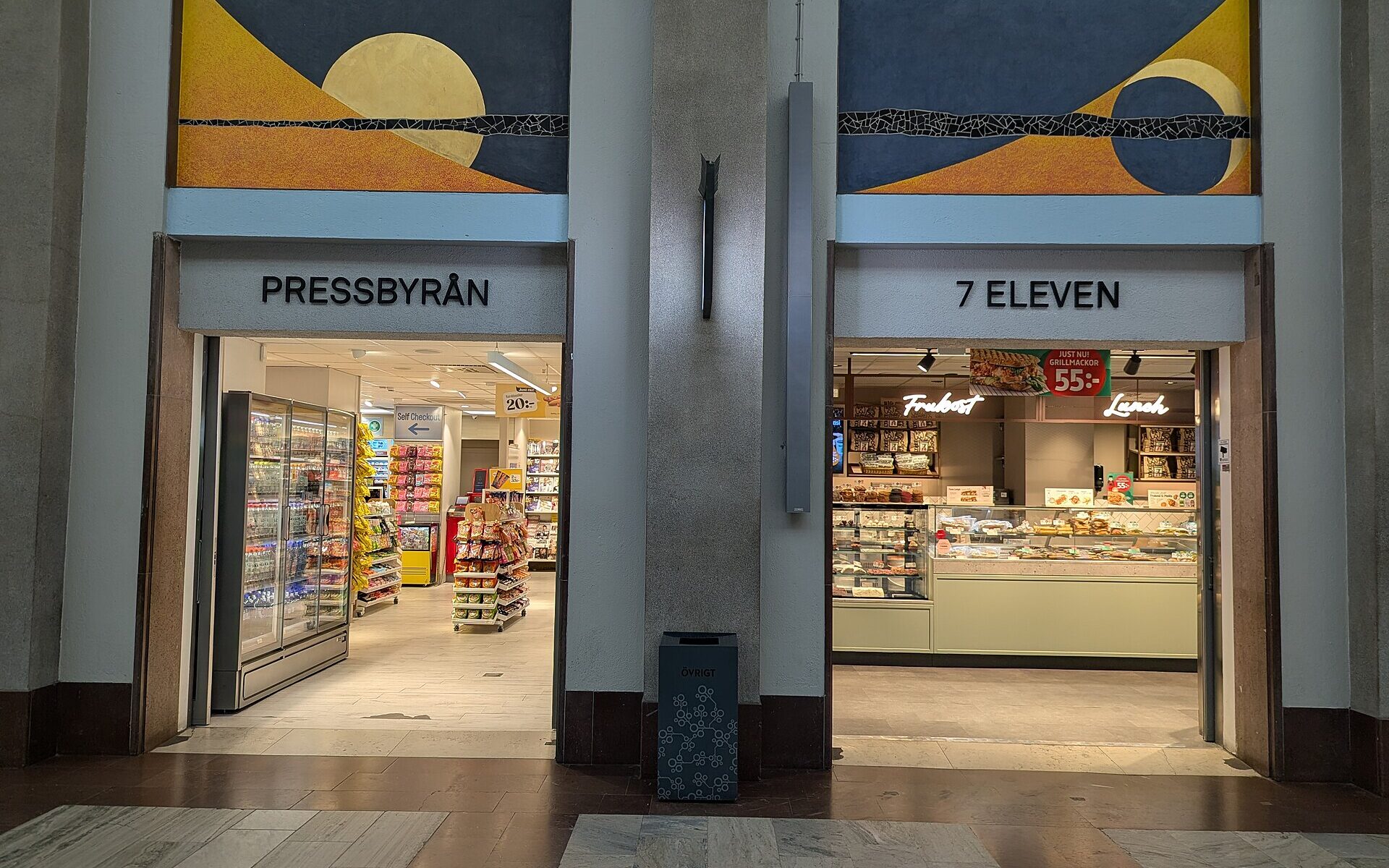
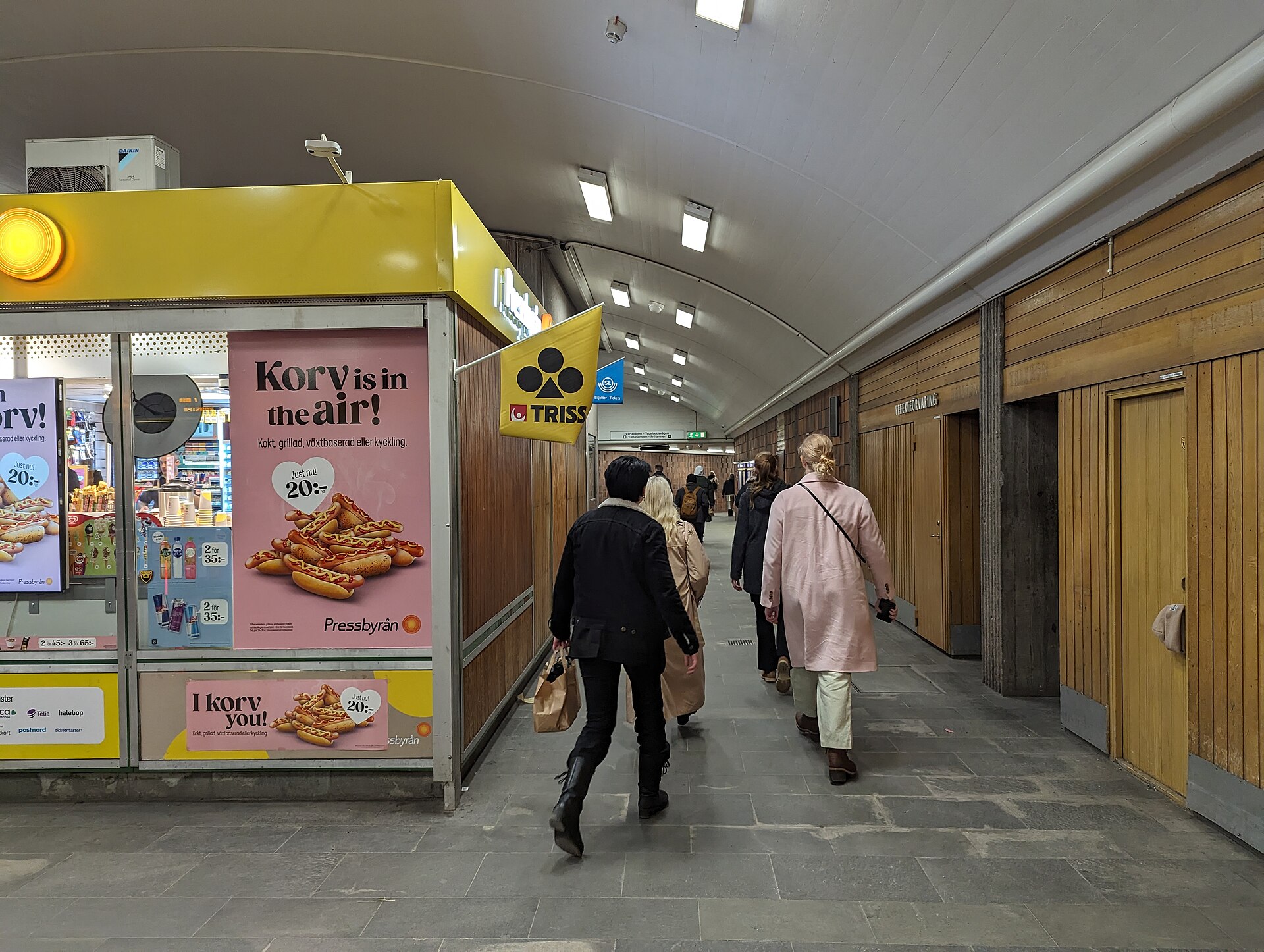
- Buy a starter pack (startpaket) at a Pressbyrån or 7-Eleven, a supermarket such as ICA or Coop, or online. Pressbyrån has branches at Stockholm Central and in many metro stations.
- Put the SIM in your phone. You’ll need an unlocked phone.
- Register on comviq.se, choosing the ID-document option, not BankID, and follow the photo-ID steps.
- Top up (tanka) and buy a data package (surf) in the Comviq app or at the till.
The others
- Telia, the biggest network: without a Swedish personal identity number, you register in person at a Telia store with your passport. It works, but it costs you half an hour of your trip.
- Hallon, a budget brand on the Tre network: registration requires BankID, so it is no longer an option for visitors.
- Other budget brands: several accept only BankID. Check the registration page before you buy, not after. A starter pack you cannot register is a souvenir.
Who should bother
A Swedish SIM makes sense if you are staying for weeks, not days; if you need a Swedish number, for example for a job, a longer rental or a club that texts you; or if you want a big data allowance at local prices. For a week’s holiday, an eSIM does the same job without the registration step.
A Swedish SIM also roams like at home across the EU and EEA, which is handy if you are continuing to Norway, Denmark or Finland.
The three options compared
| Roaming | Travel eSIM | Swedish prepaid SIM | |
|---|---|---|---|
| Best for | EU/EEA visitors, short stays | Most non-EU visitors | Long stays, a Swedish number |
| Setup | None | Before you fly | In Sweden, with ID registration |
| Swedish number | No | Usually not | Yes |
| Keeps your home number | Yes | Yes (dual SIM) | Only with a dual-SIM phone |
| Registration | No | No | Yes: passport photo-ID (Comviq) or in-store (Telia) |
| Cost | Free in the EU; day fees elsewhere | A fixed price for a fixed amount of data | Starter pack plus top-up |
Coverage: where your phone works
Sweden’s mobile networks are excellent, and in Stockholm you will rarely think about signal.
- The city: fast 4G and 5G everywhere, including in the metro tunnels and stations. Our metro guide covers the network itself.
- The archipelago: good near the populated islands and on the main ferry routes. It gets patchy in the outer archipelago and on the smallest islands. Download offline maps and ferry timetables before a day trip into the Stockholm archipelago.
- Nature reserves and forests: generally fine near trails, patchier in dense forest and valleys. Carry a charged phone rather than relying on constant signal.
- Day trips by train: Uppsala, Sigtuna and Västerås are all in the main networks’ heartland, with no gaps worth mentioning.
The ferry trap
This is the one piece of this guide that can save you real money. On the overnight ferries to Helsinki, Turku, Tallinn and Riga, phones often lose the shore network once the ship is out at sea and switch to the ship’s own maritime mobile network. Calls and data on a maritime network are not covered by EU roaming rules. They are billed separately, often at satellite-style rates, and a few hours of background app updates can cost more than the cabin.
Before the ship leaves the archipelago, switch off mobile data or put the phone in flight mode, then turn Wi-Fi back on and use the ship’s Wi-Fi if you need to be online. Most Baltic ferries offer it, sometimes for a fee. Our Stockholm–Helsinki ferry guide and Tallinn ferry guide cover the crossings. The same applies to many cruise ships.
Free Wi-Fi in Stockholm
If you would rather not pay for data at all, Stockholm makes that easier than most cities.
- Hotels and hostels: free Wi-Fi is standard, even at the budget end.
- Cafés: nearly every café has Wi-Fi, with the password on the till or the receipt. An afternoon of fika doubles as a place to plan the evening.
- Arlanda: free Wi-Fi throughout the terminals. It is useful for booking a ride or checking the train on arrival.
- Trains: SJ’s long-distance trains and many regional trains have onboard Wi-Fi.
- Libraries and cultural centres: the city’s public libraries and Kulturhuset at Sergels torg are warm, free and connected, and welcome on a wet afternoon.
- Museums and shopping centres: most have guest Wi-Fi.
Treat any public network with the usual care. Avoid banking on open Wi-Fi, check that the network name is the venue’s real one, and consider a VPN if you work on the road. Stockholm is not unusually risky; it’s just good practice. Our guide to tourist scams in Stockholm covers the SMS and QR-code tricks worth knowing about.
Which option suits which trip
A weekend from Berlin, Paris or Amsterdam
Do nothing. Your SIM roams at home prices. Switch on roaming and you are set.
A long weekend from London
Check whether your plan includes EU roaming. If it charges a daily fee, three or four days of it is probably still simpler than anything else. For a week, a travel eSIM usually works out cheaper.
A week from New York, Toronto or Sydney
A travel eSIM with a few gigabytes, set up before you fly and activated at Arlanda. Keep your home line switched on for texts, so bank verification codes still reach you.
A Nordic trip taking in Oslo, Copenhagen and Helsinki
Pick a travel eSIM that covers several European countries, or a Swedish Comviq SIM, which roams at domestic prices across the EU and EEA. Either way, remember the ferry rule.
A month or more: studying, working or house-sitting
A registered Swedish SIM. You will want a local number for rentals, deliveries and anyone who needs to call you. If you are staying long enough to get a Swedish personal identity number, you can move to a monthly contract later.
A family with teenagers
One travel eSIM per phone, or one data plan shared from a parent’s phone as a personal hotspot. Most plans allow it. Agree in advance that nobody streams video on the ferry.
Apps worth having on arrival
- SL, the Stockholm public transport app: journey planner, live departures and tickets. You can pay by tapping your card at the gates, but the planner alone makes it worth downloading.
- Uber and Bolt, plus the app of one of the big taxi companies, so you can see prices before you book.
- Offline maps for Stockholm and anywhere you are day-tripping.
- A translation app with Swedish downloaded for offline use. Almost everyone speaks English, but product labels, pharmacy leaflets and parking signs don’t.
- Your airline’s app, for gate changes. Arlanda’s departure boards are clear, but it is a long walk between some piers.
- Your bank’s app, with notifications on. Swedish card terminals are among the most modern in Europe, and some payments will ask you to approve them in-app.
Before you fly: a checklist
- Check that your phone is unlocked if you plan to use a Swedish or travel SIM.
- Check that it supports eSIM if you plan to use one.
- Check your home operator’s roaming terms for Sweden: EU, UK or international.
- Download offline maps of Stockholm and anywhere you are day-tripping.
- Make sure your bank’s SMS verification will still reach you: keep the home SIM active on a dual-SIM phone.
- Pack a European plug adapter. Sweden uses the two-pin Europlug and Schuko sockets at 230 V, and a power bank for long days out. Our Stockholm packing list covers the rest.
Frequently asked questions
Can tourists buy a SIM card in Stockholm?
Yes, but it must be registered. Comviq accepts registration with a foreign passport, driving licence or ID card through an online photo-ID check. Telia registers visitors in person at its stores. Some budget brands, including Hallon, require Swedish BankID and are not an option for visitors.
Where can I buy a SIM card in Stockholm?
Starter packs are sold at Pressbyrån and 7-Eleven, including branches at Stockholm Central and many metro stations, at supermarkets such as ICA and Coop, and in the operators’ own shops.
Do I need to register a prepaid SIM card in Sweden?
Yes. Since 2022, every Swedish prepaid SIM must be registered to a named person. Swedes use BankID. Visitors register with a passport or other ID where the operator allows it.
Is an eSIM better than a local SIM in Sweden?
For most short trips, yes. A travel eSIM is set up before you fly, needs no Swedish registration and lets you keep your home number active. A local SIM makes more sense for long stays or if you need a Swedish number.
Does EU roaming work in Sweden?
Yes. SIMs from EU countries, Norway, Iceland and Liechtenstein roam in Sweden at domestic prices under the roam-like-at-home rules, subject to fair-use limits. UK SIMs are no longer covered by EU rules, so check your plan.
Is there free Wi-Fi in Stockholm?
Yes, widely: in hotels, almost every café, at Arlanda, on most long-distance trains, in public libraries and at Kulturhuset, and in most museums and shopping centres.
Will my phone work on the ferry to Helsinki or Tallinn?
Near the coast, yes. At sea, phones often switch to the ship’s maritime network, which is not covered by EU roaming and is billed at high rates. Switch off mobile data once you leave the archipelago and use the ship’s Wi-Fi instead.
Does 112 work without a Swedish SIM?
Yes. The emergency number 112 works from any mobile phone, with any SIM and with no credit.
Staying connected also means staying charged. Sweden uses the standard continental European two-pin plugs at 230 volts, so bring the right adapter for your phone charger and power bank. Our guide to power plugs in Stockholm explains which adapter you need and where to buy one if you forget.
More Stockholm guides
- Stockholm Travel Tips — the rest of the practical advice in one place.
- Arlanda to Stockholm — getting into the city once you are connected.
- SL Card Stockholm — public transport without an app.
- Stockholm Currency and Payment — cards, cash and why Swish isn’t for visitors.
- Stockholm Packing List — adapters, power banks and the rest.
- Stockholm to Helsinki Ferry — including the maritime-network trap.
- Stockholm Archipelago — where signal gets patchy.
- Uber and Taxis in Stockholm — the apps worth having.
Photo credits
Pressbyrån and 7-Eleven at Stockholm Central (featured image): 7-Eleven, Pressbyrån, Stockholms Central – 20260321 – 10 by AleWi, CC BY-SA 4.0, via Wikimedia Commons.
Stockholm Central main hall: 170301 Stockholm Central 01 (33133839261) by Johan Wessman / News Oresund, CC BY 2.0, via Wikimedia Commons.
Pressbyrån at Gärdet metro: Gärdet metro, Pressbyrån, 20240302 – 25 by AleWi, CC BY-SA 4.0, via Wikimedia Commons.